
Engineering / Lifeboat
Lifeboat, open models on a drive you can carry
An ordinary external drive that carries open AI models and everything needed to run them. Plug it into a computer and start. It works with or without the internet.
- Runs from An ordinary external drive
- Internet Not needed. No account and no password
- Tests 265 passed at the gate
- Version 0.1, and not public yet
Open model toolkit · The Real Cat Labs · November 2026 · version 0.1
The question
What if the models came with their own setup?
Open models put AI in your own hands, and getting one running is still more work than it should be. As more companies sell on-premises AI boxes, people need a way in that they can see inside, built on open tools and on models they choose themselves.
Lifeboat is that way in. It turns a routine external drive into a portable home for open models. The drive holds the models, the programs that run them, a catalog of what each one is good for, and a small helper that walks a newcomer through it. It is also the backup, and it works entirely offline.
How it works
From plugging in the drive to a running model
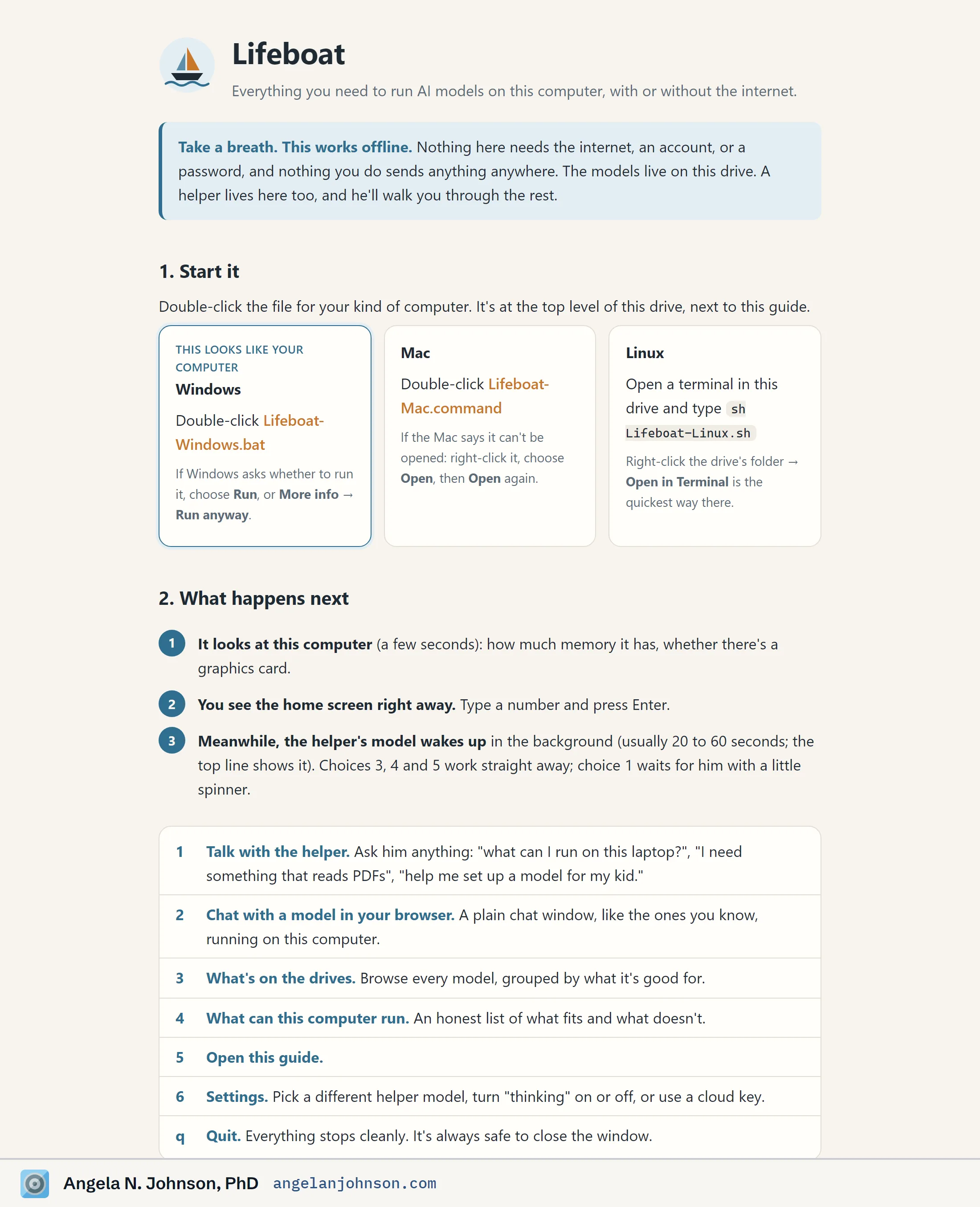
- Start it Double-click one file for your kind of computer. The drive carries a launcher for Windows, for Mac, and for Linux.
- It reads the computer In a few seconds it checks how much memory there is and whether there is a graphics card.
- A helper wakes up A small model on the drive starts in the background and answers questions such as what this laptop can run.
- Pick a model The catalog lists every model on the drive by what it is good for, with an honest list of what fits this computer.
- Chat in the browser A plain chat window opens, running on this computer and nowhere else.
The helper always asks before it runs or copies anything, and it cannot change or delete anything in the archive.
Why it is built this way
White box, by design
-
You can see inside
Everything on the drive is a file you can read. The guide has a section on doing it all by hand, with no helper at all.
-
Your models, backed up
The drive is the backup. The models you rely on sit in one place, each with a fingerprint you can check.
-
Back up and running
On a new computer, or with no connection at all, it is plug in, start, and work.
What it shows
Built to be checked, then run from the drive
The numbers are from the build’s own record, on the day the first drive was assembled.
-
265
Tests passed at the gate
One was skipped. Every suite was run again by the gate before any part of the work was accepted.
-
20
Downloads, each checked by fingerprint
Every downloaded part is hashed again against a locked list before a drive is assembled.
-
15.9 s
From the drive to a running model
In the first live run, on a Windows workstation with a graphics card, the helper’s model was up in 15.9 seconds and answered its first question in 39.
-
0
Accounts, passwords, or connections
Nothing on the drive needs the internet, and nothing you do sends anything anywhere. A cloud key is optional.
The limits
What Lifeboat is not yet
- It is version 0.1, made in November 2026. The code is not public yet.
- Only the Windows path has been run live. The Mac and Linux launchers are built and have not been verified on those computers.
- The optional cloud connection has not been verified live, and neither have long copies at full size.
- Speed depends on the computer. Without a graphics card a model runs slowly, and a small laptop gets a smaller helper.
- The helper is a small local model. It is a guide to the drive, and each model on it keeps its own license and limits.
Run it
Start it from the drive
One file starts it on each kind of computer. Everything can also be done by hand.
Windows   double-click Lifeboat-Windows.bat
Mac       double-click Lifeboat-Mac.command
Linux     sh Lifeboat-Linux.sh

By hand   llama-server -m PATH/TO/model.gguf --port 8080 --jinja
By hand, the drive carries a copy of llama.cpp for each kind of computer. Start one with a model, then open http://127.0.0.1:8080 in a browser.
Who made this
This is my independent work, and no other person worked on it. It was built inside the agent environment I engineered. Goldie, an AI agent, ran the build as its gate. Three AI builder agents worked in separate lanes, and Goldie verified each lane’s work before it was accepted.
Take a breath. This works offline.
More builds
Other work with a page of its own
- Build Registry Metric Lab Can one extra site change the enrollment total?
- Build Continuity Ledger Can a remembered instruction outlive its permission?
- Build Adapter Promotion Gate What must hold before a model change can serve?
- Build Stagnation Observatory When does useful work look stalled?
- Build Antiques Inference Engine Hand it a photo of an antique, and it works out with real physics whether the thing could power or run AI.
- Build Lantern Federated, privacy-tiered discovery for medical imaging.
- Build Off-Target A design change review of an AI-authored weight edit.
- Build Aurora Measures from brain science, run live on a persistent agent’s decision stream.
Get in touch
Speaking, teaching, board work, or coaching
I am glad to hear from conference organizers, journalists, students, and leaders who want a thinking partner.